Support chat for PC and Steam games
A support chat players can use with a gamepad, on a Steam Deck in Big Picture, or with mouse and keyboard. Their Steam account identifies them, and every message carries the logs, GPU and frame rate your team needs.
14 days free. From €29/month after that. Translation included.
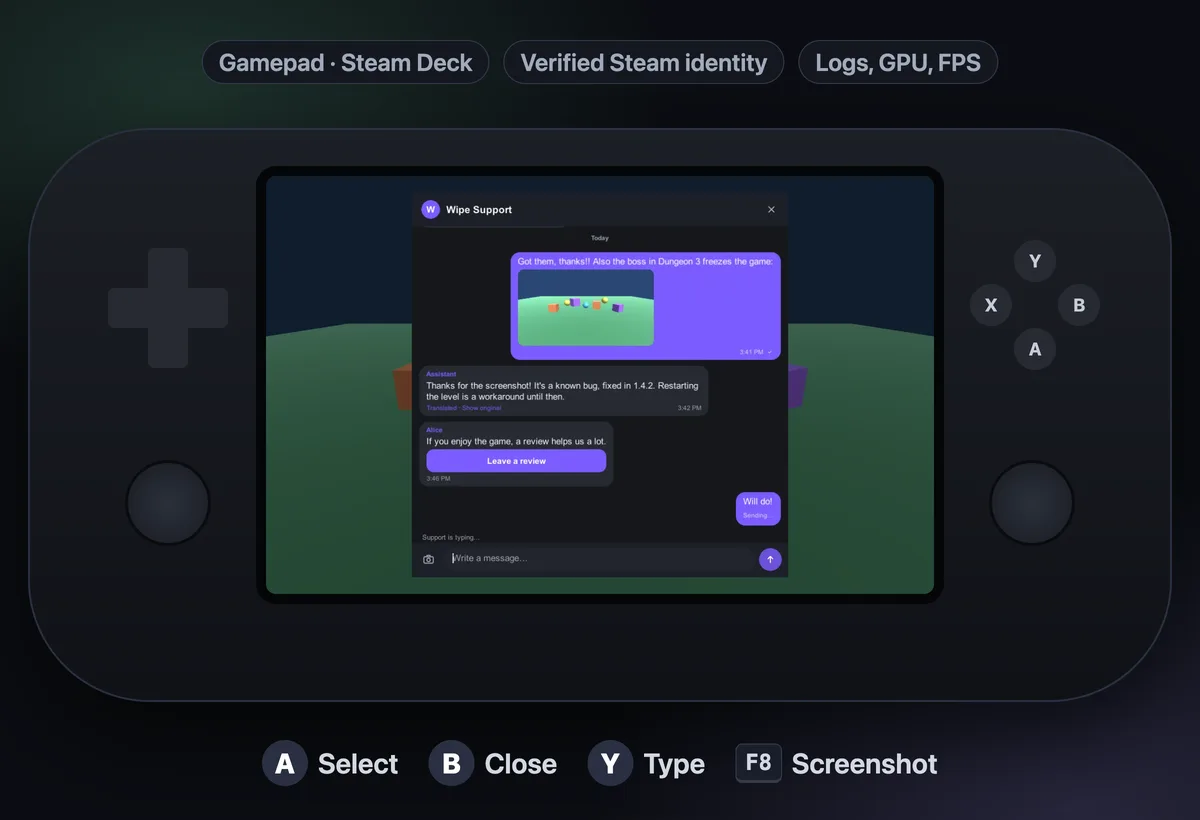
A chat that works with whatever the player is holding.
Most support widgets assume a mouse. On PC and Steam, players have a gamepad, a Deck, or a keyboard with the cursor locked to the game.
Full gamepad navigation
Every control is reachable with a gamepad, the arrows or Tab, with a visible focus outline. Y jumps to the text field; B or Esc steps back, then closes the chat.
Steam Deck keyboard
Give the SDK your on-screen keyboard (Steam's gamepad text input, for example) and players can type in Big Picture mode and on the Deck.
Verified Steam identity
The SDK sends a Steam Web API ticket; the server checks it with Steam. History follows the SteamID from the Deck to the desktop. Helpers for Steamworks.NET and Facepunch.Steamworks.
Screenshot on a hotkey
F8 by default captures the game and opens the chat with the image attached. The chat never appears in the capture.
The context PC bugs need
GPU name, vendor, API and memory, resolution and refresh rate, quality level, vSync, average and minimum FPS, memory and GC, and the last 50 log lines with stack traces.
Steam review card
After a good conversation, send a card that opens your game's Steam review page. Cursor and input are handled: the SDK frees the cursor while the chat is open and restores it after.
From "it crashed" to "fixed in 1.4.3".
Players describe the same crash in a dozen ways. Inngame groups reports into one bug with versions, platforms and log excerpts, warns you when reports spike, and opens a GitHub issue in one click.
When you ship the fix, every player who reported it is told, in their language, the first time they run that version.
- Spike alerts · in the inbox, Telegram and a
bug.spikewebhook - Fix pull requests are proposed · by the coding agent on your repo, never merged for you
Configure once, open from your pause menu.
The Unity package works with the legacy Input Manager, the Input System, or both. If the scene has no EventSystem, the SDK creates one while the chat is open.
- Unity 2022.3 LTS and Unity 6 · Windows, macOS, Linux, Steam
- Centered panel on desktop · full screen on phones, or forced either way
- Connect Steam in the dashboard · your App ID and a publisher Web API key
using InngameSDK;

Inngame.Configure("app_XXXXXXXX", new InngameOptions
{
    PauseGameWhileOpen = true,       // Time.timeScale = 0 while open
    ScreenshotHotkey = KeyCode.F8,   // capture + open chat
});

// after SteamAPI.Init(): verified Steam identity
await Inngame.IdentifySteam(GetSteamTicketHex);

// Steam Deck, Big Picture: your on-screen keyboard
options.OnScreenKeyboard = (current, done) => { /* SteamUtils.ShowGamepadTextInput… */ };Docs and guides for PC and Steam games.
Questions
Does it work on the Steam Deck?
Yes. The chat is navigable with the gamepad, and you can plug Steam's on-screen keyboard into the SDK's OnScreenKeyboard hook so players can type in Big Picture mode and on the Deck.
Is the Steam identity verified or just trusted?
Verified. The SDK asks Steam for a Web API ticket and the Inngame server checks it with Steam using your publisher Web API key. Only then does the conversation attach to that SteamID and follow the player to another machine.
Do players need Steam?
No. The same SDK runs in Windows, macOS and Linux builds outside Steam. Players start anonymous, and you can verify them with a JWT from your own account system instead.
Can we answer from Discord?
Yes. Each player gets a thread in a private forum or text channel of your server, with slash commands to close, block or hand back to the AI. The player reads your reply in the game, translated.
Hear from players before they post the review.
A support button in your pause menu, reachable with every input your game supports.
14 days free. From €29/month after that. Translation included.