Support that lives inside your game.
Players ask for help without leaving the game, in their own language. Your team answers from one inbox, Telegram or Discord, with the device, version and level already attached. AI handles the easy questions; your team handles the rest.
14 days free. From €29/month after that. Translation included.
How a conversation looks on both sides
In the game · the player writes in French
Un cadeau de l'équipe Récupérer
In your inbox · the team reads and answers in English
Camille · 14:02 Translated from French
Léa · 14:04 · item card attached
Games first, but not only games.
The same inbox, translation and AI rules work behind a Unity game, a browser game, an iPhone app or a web app. Pick the page that matches what you ship.
A support chat that feels like part of your game.
No browser tab, no email form, no "contact us on our website". Players open the chat from your pause menu, ask, and get back to playing. Replies reach them later, even after they close the game.
SDKs for Unity, iOS and the web
Drop in the Unity package, call Inngame.Configure with your app key, and open the chat from any button. It uses your colors and texts, which you can change from the dashboard without shipping an update.
- Unity 2022 LTS and Unity 6 · iOS, Android, Windows, macOS, Linux, Steam
- Full gamepad navigation · with a hook for the Steam Deck on-screen keyboard
- Swift SDK for regular iOS apps · iOS 16+, SwiftUI and UIKit
- One script tag for HTML5 games · itch.io, CrazyGames, Poki or your own site, no dependencies
- History follows the player · anonymous first, then linked to their account (JWT or Steam) on every device
Attached to every message, automatically
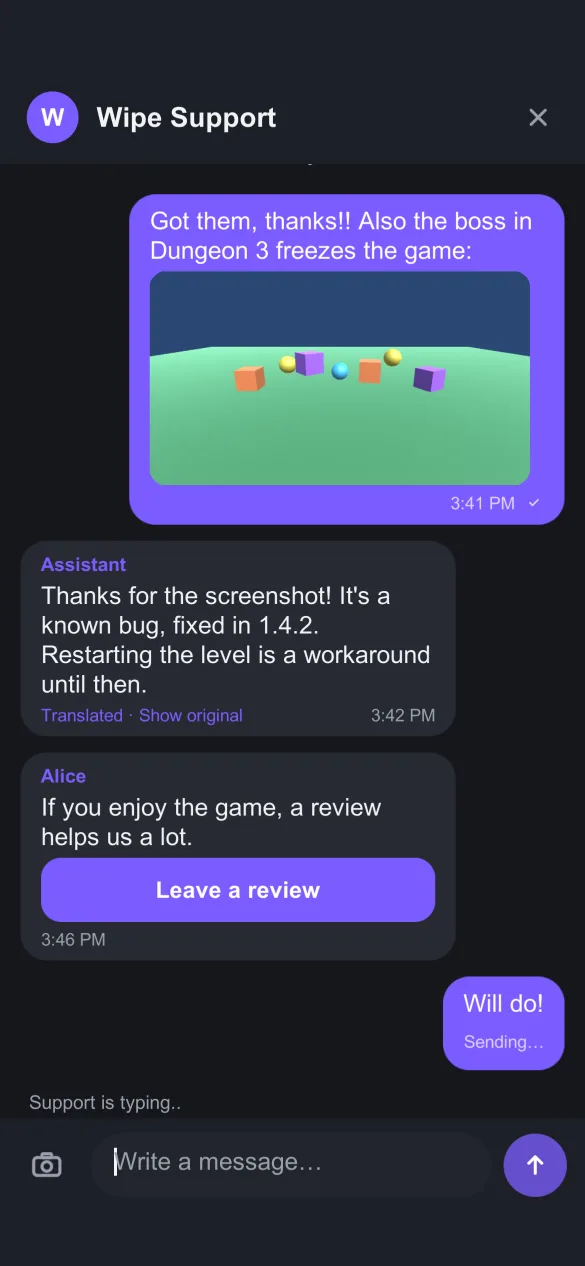
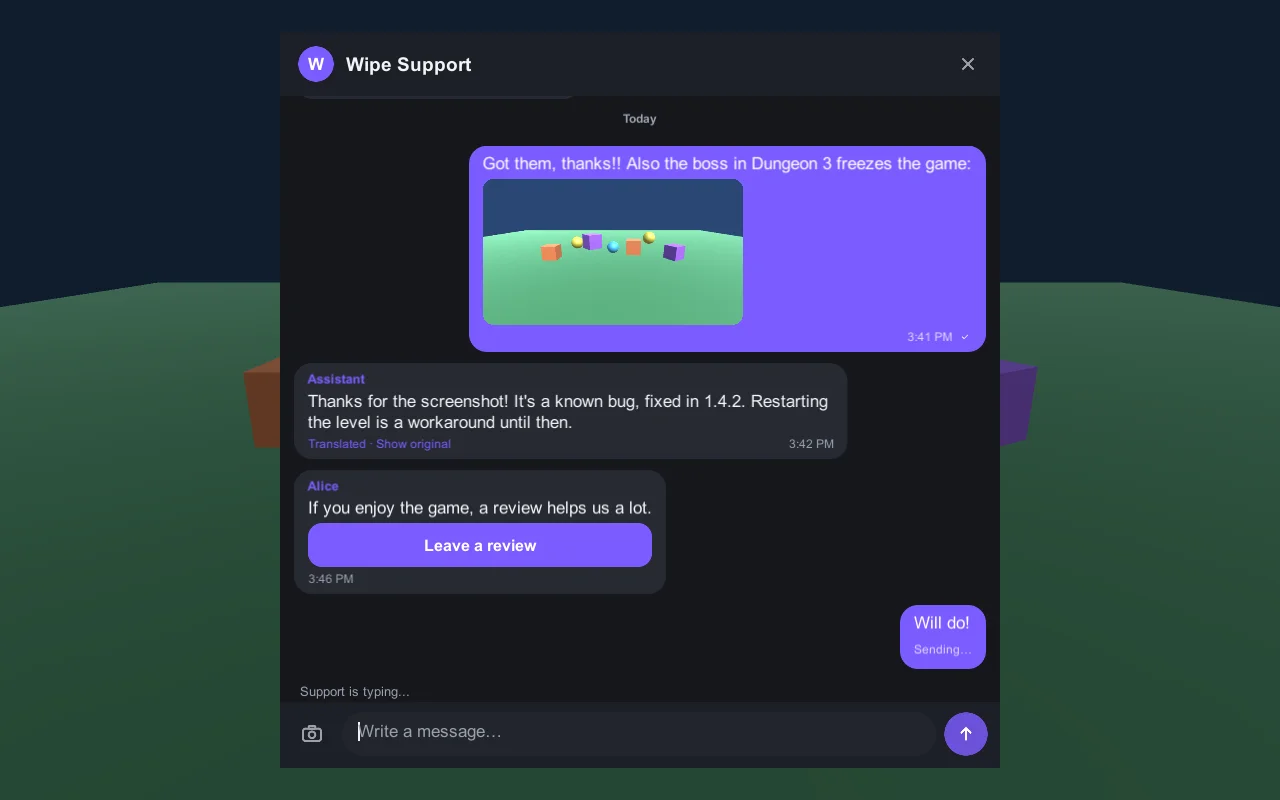
Players write in their language. You answer in yours.
Every message is translated both ways, automatically. A player in São Paulo writes in Portuguese, your team reads English, answers in English, and the player reads Portuguese. The original is always one tap away on both sides.
- Included in every plan · not counted as AI messages
- Chat interface built in 25 languages · every text can be overridden
- Runs on Cloudflare Workers AI · or on your own Anthropic / OpenAI key
Answer from wherever your team already is.
One inbox for all your games, plus the chat apps small teams actually keep open. A reply sent from any of them reaches the player in the game, translated.
/close, /ai, /draft, /review, /block, /stats. Use our bot or your own.AI does the repetitive part. Your team stays in charge.
Inngame is not an "AI-first" chatbot that hides your team behind a bot. You choose, per game and per conversation, how much the AI does. It starts off.
Money and releases always need a human. Only an admin can issue a refund. The AI and outside agents can only propose one. Fix pull requests are proposed, never merged for you.
From "it crashed" to "fixed, update now", without the spreadsheet.
Players describe bugs in a dozen languages and a dozen ways. Inngame groups them into one bug, tells you when reports spike, and closes the loop when you ship.
- AI groups reports into bugs · with versions, devices and logs, no player identity
- Spike alerts · in the inbox, Telegram and a
bug.spikewebhook - One click to a GitHub issue · then ask the coding agent on your repo (
@claude) for a fix PR - Players are told automatically · when they run the version that fixes their bug
The rest of what a small live team needs.
FAQ, searchable in the game
Import it from your site (one page or a sitemap) or generate it from past conversations, then review. The AI answers from it and players can search it in the chat.
Automations
Trigger on a game event (level_failed) or a subscription event (RevenueCat, Adapty, Superwall, App Store or Google Play notifications, verified at the source). Wait, pick the player's local time, filter the audience, then send a message, an offer, a link, a review request, or open the chat.
Refunds and compensation
Admins refund Stripe and Google Play payments from the conversation, or send the official Apple refund sheet to the player. Gift items with an in-game card that can be claimed once.
Review requests
After a good conversation, send a card that opens the App Store, Google Play or Steam review page. Cards can also open a screen of your game, an offer or a link.
Push, only when needed
APNs and FCM notifications when the team answers and the chat isn't open. Unread badge in the game. Dead tokens are cleaned up for you.
Audit log
Every reply, refund, AI action and change made through the API is logged with who did it: a teammate, the AI, or which agent key.
Run support from Claude Code, Cursor or Codex.
Everything the inbox does goes through one REST API, so any agent can use it too, with a key you scope and can revoke.
- MCP server ·
/mcp, Streamable HTTP, API key auth, 24 tools - CLI ·
npx inngame inbox,reply,bugs,--jsoneverywhere - Skill · for Claude Code, Codex, Cursor, T3 Code and Hermes
- REST API and signed webhooks ·
message.created,item.claimed,refund.issued,bug.spike… - Keys scoped to read, reply or all · agents can never move money
Install in one prompt. inngame init unity prints a prompt you paste into your coding agent: it adds the package, configures your app key, wires a Support button that works with mouse, touch and gamepad, and checks the build.
$ claude mcp add --transport http inngame \
    https://app.inngame.app/mcp \
    --header "Authorization: Bearer $INNGAME_API_KEY"

$ npx inngame inbox --unread
● cnv_8f2…    2m  Camille   Hi! I bought the 500 gem pack…
● cnv_1c9…    1h  Kenji     Can't beat the boss on level 9
● cnv_77a…    3h  Jonas     Controller stops working after…

$ npx inngame bugs --status open
bug_3e1…    23×  open      Black screen after the boss

$ npx inngame init unity
Add Inngame in-game support to this Unity project.
1. Add the package …
2. At startup (first scene), call …
Built for games that kids and Europeans play.
Your players trust you with their messages. Inngame keeps them in Europe and keeps the chat clean.
EU data residency
Conversations live in Cloudflare D1 and photos in R2, both under EU jurisdiction. Integration secrets are encrypted at rest.
Data requests, handled
One SDK call deletes the player, their conversations and their photos. From the inbox, export everything held on a player as JSON or delete it, and set how long closed conversations are kept. How it works
Moderation
Profanity filter, photo moderation (rejected images are never stored), photos can be turned off per game, block a player in one click, and a minors mode (no player photos, filter always on, no automated offers).
Simple plans for small teams.
Start with a 14-day free trial. Translation is included in every plan, with its own monthly allowance.
Indie
A solo dev or a small team with one or two games.
- 2 apps
- 3 seats
- 1,000 AI messages / month
- 20,000 translations / month
- Inbox, Telegram, Discord
- API, MCP, CLI and webhooks
Studio
A studio with a catalog of games and a support rota.
- 20 apps
- 15 seats
- 10,000 AI messages / month
- 200,000 translations / month
- Everything in Indie
Bring your own key
On either plan, for teams with heavy AI use.
- Plug in your Anthropic or OpenAI key
- No monthly cap on AI messages or translations
- You pay your provider directly
- Switch back any time
Prices in euros, billed monthly through Stripe. Cancel any time from the billing portal.
Questions studios ask us.
Do players need to create an account?
No. The chat works anonymously from the first launch. When the player logs in to your game (your own account system with a signed JWT, or Steam), their history joins their account and follows them to other devices. How identity works.
Does the AI answer players on its own?
Only if you turn it on. AI is off by default for each app. You can let it answer from your FAQ, have it write drafts that a human approves, or keep it off. A human reply always pauses the AI for that conversation, and refunds and releases always need a human.
Which engines and platforms are supported?
How good is the translation?
It's machine translation by a large language model, good enough for support conversations in the major languages. Both sides can always see the original message. You can turn translation off per game.
Where is player data stored?
In the European Union: the database and photo storage run on Cloudflare D1 and R2 with EU jurisdiction. Players can delete their data from inside the game.
Can I use my own AI key?
Yes. Plug in your own Anthropic or OpenAI key on any plan and the monthly AI message cap no longer applies. You pay your provider directly.
Do I need Telegram or Discord?
No. Everything works from the web inbox. Telegram and Discord are optional, for teams that would rather answer from where they already are.
Can an AI agent refund players or ship a release?
No. API keys, the MCP server and the built-in AI can propose a refund, which shows up in the conversation for an admin to approve. Fix pull requests are opened on your repository; merging and releasing stays with your team.
Does it work with a gamepad and on Steam Deck?
Yes. The Unity chat is fully navigable with a gamepad, and you can plug in Steam's on-screen keyboard for Big Picture mode and the Deck.
Give your players a way to reach you, inside the game.
Set up takes an afternoon, or one prompt to your coding agent.