Support chat for web apps and SaaS
The same script tag as for browser games, inside your product. Users write without leaving the page, signed in, and your team answers with their account, plan and the page they were on already attached.
14 days free. From €29/month after that. Translation included.
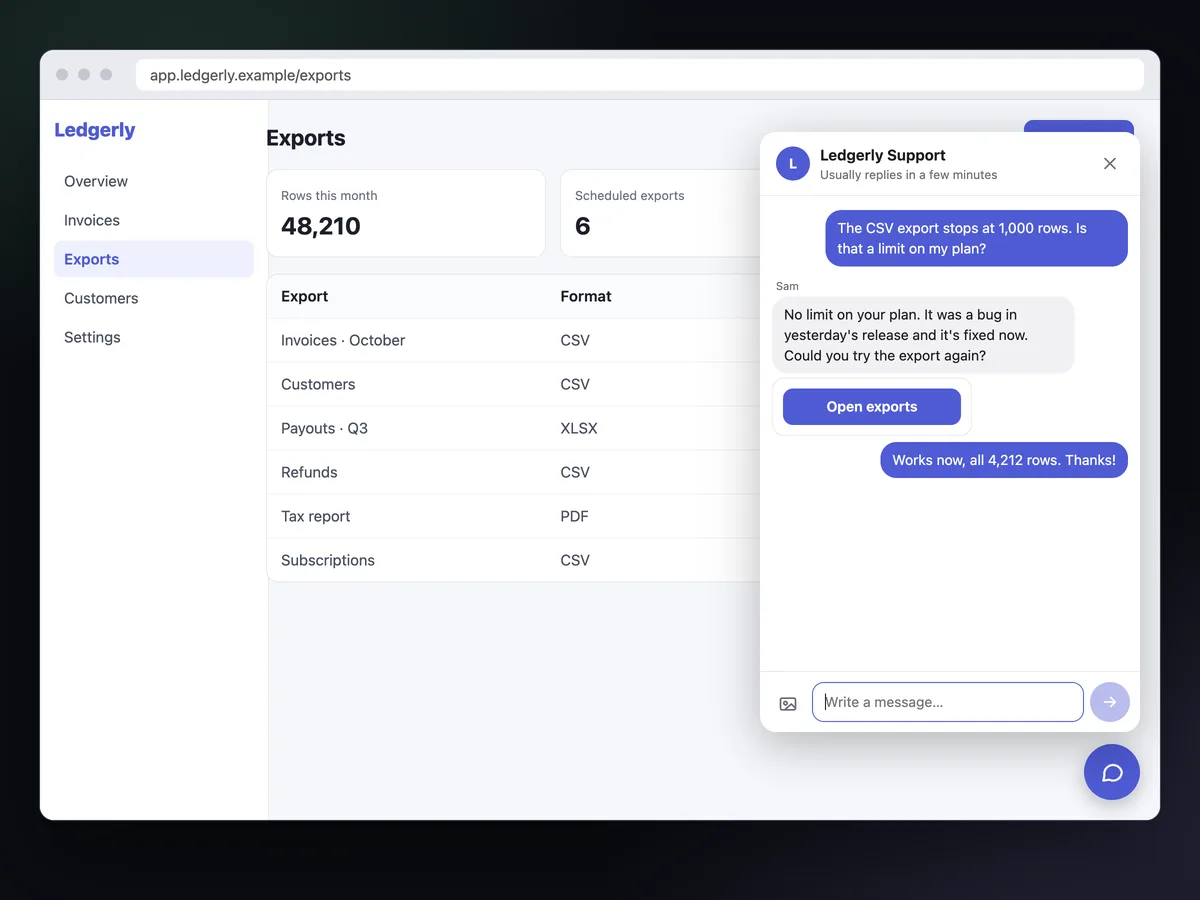
Support inside the product, with the account attached.
The web SDK that runs in browser games runs just as well in a dashboard or a SaaS. Your team sees who wrote, on which page, with which error.
History that follows the account
Identify users with a JWT signed by your server (HS256, user_id and exp). Verified users get the same conversation in every browser; a plain id is only a label.
Stripe refunds from the conversation
Connect a restricted Stripe key and an admin refunds a payment, fully or partially, without leaving the thread. The AI and agents can only propose a refund.
Automations from your events
Inngame.track("checkout_failed") can trigger a message, an offer, a link or open the chat, after a delay, at the user's local time, for the audience you choose.
Credits through item cards
An admin sends an item card; the user claims it once and onItemGranted runs. Use it for credits or whatever your app grants, or credit server-side with the item.claimed webhook.
Translation both ways
Users write in their language and read your replies in it; your team works in one language. The original is always one click away.
AI from your FAQ, under control
Import your help center from a page or a sitemap. The AI answers from it, or drafts replies a human approves. Anything involving money needs a person.
The page, the browser and the error, before you ask.
Every message carries the page URL, browser, viewport, language, time zone and the last 50 console errors and warnings, plus what your context() function returns: a plan, a workspace, an order.
During an outage, an announcement at the top of the chat tells every user, translated, until the time you choose. Under the title, users see your usual reply time, or when you're back.
- Office hours · with an automatic reply outside them, in the user's language
- Signed webhooks ·
message.created,refund.issued,item.claimed… - REST API, MCP and CLI · for your own tools and coding agents
The same script tag, with identity and events.
Host inngame.js with your app or load it from our site. Start it with your public app key, identify the user after login, and send the events you want automations to react to.
- No dependencies · about 22 KB gzipped
- Script tag or CommonJS · TypeScript types included
- Launcher or your own Help link ·
launcher: falseandInngame.open()
<script src="inngame.js"></script>
<script>
  Inngame.init({
    appKey: "app_…",
    appVersion: "2.3.0",
    context: () => ({ plan: account.plan, page: location.pathname }),
    onItemGranted: (item) => credits.refresh(),
  });
  // after login: a JWT signed by your server
  Inngame.identify({ userId: account.id, name: account.name, token: jwt });
  // an event your automations can react to
  Inngame.track("checkout_failed", { step: "payment" });
</script>Docs and guides for web apps.
Questions
Do users need to log in to chat?
No. They start anonymous and the browser keeps their conversation. Once they log in, identify with a token signed by your server attaches it to their account. You can also require a verified identity before anyone can send a message.
Does it work with React, Vue or Svelte?
Yes. Load it as a script tag or require it from your bundler; it renders in its own Shadow DOM, so your CSS and the chat's can't clash. TypeScript types are in inngame.d.ts.
Can the AI or an API key issue a Stripe refund?
No. Only a signed-in admin can refund. The AI, API keys and the MCP server can propose a refund, which appears in the conversation for an admin to approve.
Where is user data stored?
In the European Union: conversations in Cloudflare D1 and photos in R2, both under EU jurisdiction. Inngame.deleteData() erases a user and their conversations, and admins can export or delete a user from the inbox.
Support that knows who is asking.
One script tag, a token from your server, and your team answers from one inbox.
14 days free. From €29/month after that. Translation included.