Support chat for HTML5 and browser games
One script tag adds a support chat to a web game on itch.io, CrazyGames, Poki or your own site. No dependencies, about 22 KB gzipped, and it stays inside your game's frame.
14 days free. From €29/month after that. Translation included.
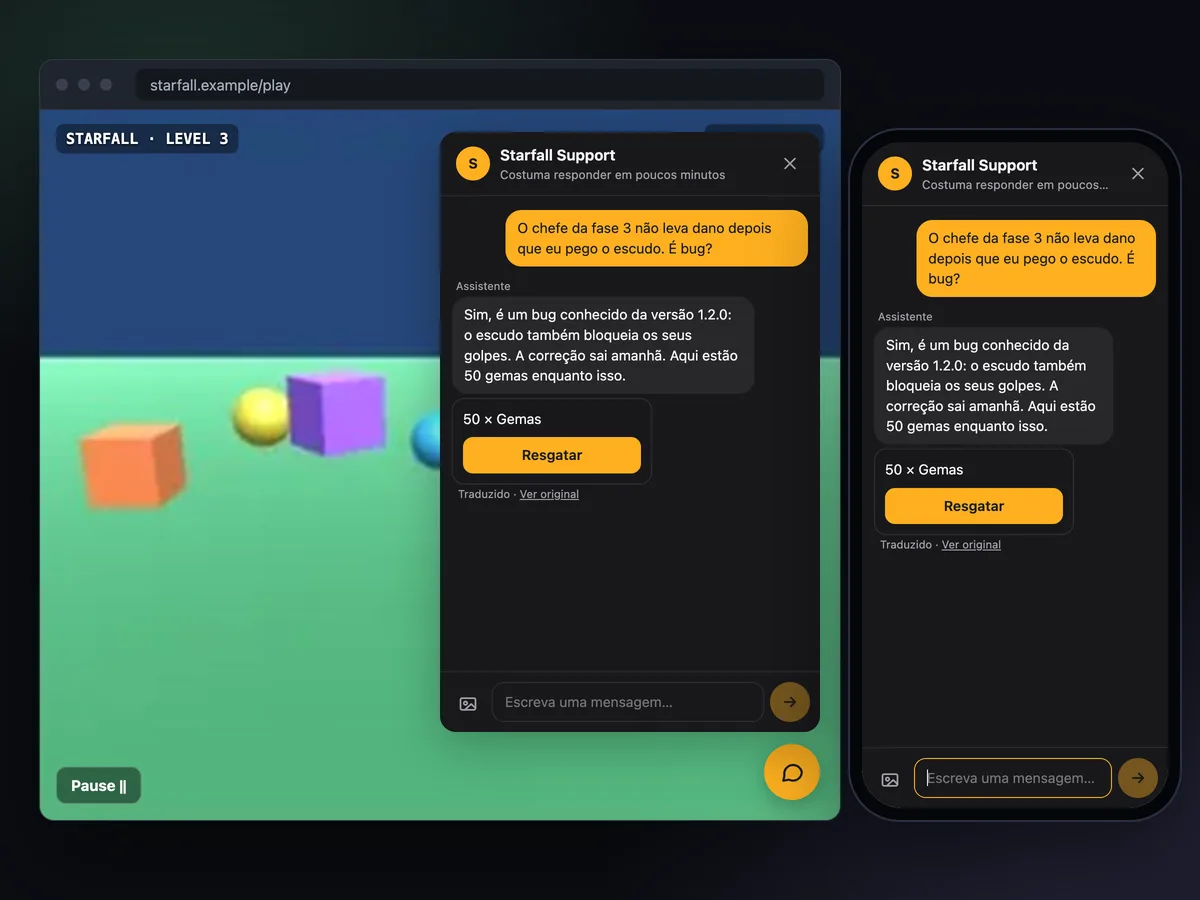
Small, self-contained, and polite to your page.
Browser games live in someone else's iframe, on half-loaded phones, with players who leave in seconds. The web SDK is built around that.
One file, no dependencies
About 64 KB, 22 KB gzipped. Host inngame.js with your game or load it from our site. It does nothing until it has a session.
Launcher or your own button
A round button in the corner by default. Or set launcher: false, call Inngame.open() from your pause menu and show the unread count on your own badge.
Offline, without duplicates
Messages written offline wait in the browser, even across a reload. Open tabs share the stored queue, and each message is sent once when the connection comes back.
Browser context, automatically
Page URL, browser, viewport, language, time zone, time since load, the last 50 console errors and warnings, plus whatever your context() function returns.
Gifts that can't be claimed twice
Your team sends an item card; the player taps Claim, and onItemGranted runs only if the server confirms that claim, even with two tabs open.
Phones too
Full screen on small screens, photos resized before upload and moderated by the server, and the interface in the browser's language (25 languages).
One tag, or a few lines for more control.
The shortest setup is <script src="inngame.js" data-app-key="app_…">. To hide the floating button, add game state to messages or grant items, start it yourself:
TypeScript types live in inngame.d.ts, next to the script. The step-by-step version, with a test checklist for portals, is in the HTML5 support chat guide.
- itch.io, CrazyGames, Poki or your own site
- Pause your game on
open, resume onclose - Events for automations ·
Inngame.track("level_failed", { level: 3 })
<script src="inngame.js"></script>
<script>
  Inngame.init({
    appKey: "app_…",
    launcher: false,  // open it from your own menu
    context: () => ({ level: state.level, coins: state.coins }),
    onItemGranted: (item) => inventory.add(item.id, item.quantity),
  });
  helpButton.onclick = () => Inngame.open();
  Inngame.on("unread", (n) => helpBadge.textContent = n || "");
</script>Docs and guides for HTML5 games.
Questions
Will it work inside the itch.io, CrazyGames or Poki iframe?
Yes. The chat is drawn inside your game's own page, so it stays in the frame the portal gives you. If the floating button would cover your controls, turn it off and open the chat from your menu.
Does it work with Phaser, PixiJS, Godot or Construct exports?
Yes. It doesn't touch your canvas or your game loop: it adds one element with its own Shadow DOM, so your styles and the chat's styles can't clash.
Can I use it with TypeScript or a bundler?
Yes. It loads as a plain script or as a CommonJS module, and inngame.d.ts documents every option and callback for TypeScript.
Is it the same SDK as for web apps?
Yes, the same file. A game typically uses item cards and its own Help button; a web app leans on signed identity and Stripe refunds.
Let web players reach you before they close the tab.
One tag for a first version, a few lines for your own Help button.
14 days free. From €29/month after that. Translation included.